iLineme AI Assistant for LINE OA

AI Chatbot and Team Inbox for LINE OA

Let AI handle your LINE OA front desk — and hand off to your team instantly

Answer common questions from your own business data, auto-triage and tag chats, and make handoffs smooth — without heavy backend integrations.

Best for businesses that run on LINE OA and want to reduce repetitive replies while keeping humans in control.
1) AI answers first
Reply to basic questions using your products, services, and business info.
2) Auto-tags & routing
Classify chats (product inquiry, ask for staff, order issue, support, etc.).
3) One team inbox
Your team picks up the conversation and closes the loop without restarting from scratch.
Who it fits

For businesses that serve customers through LINE OA

If your team answers repeated questions, bookings, or appointments in chat, iLineme handles the first response before your team steps in.

Accommodation, hotel, and room business image
Accommodation / hotels

Answer room, price, amenity, and booking questions in chat.

Hotels, resorts, villas, guesthouses, homestays
On-site service business image
On-site services

Handle price, service area, availability, and appointment questions.

Air-con cleaning, home cleaning, solar installation, maintenance, home services
Business with repeated daily customer questions image
Businesses with repeated questions

Let the assistant handle pricing, promotions, booking steps, and opening hours.

Shops, clinics, courses, sales teams, support teams
Best for teams that want faster replies, easier booking, and smoother handoff with context.
Why iLineme is different

Not just a Q&A chatbot. A context-aware assistant that helps customers move forward.

iLineme is designed to be easier to start than building complex automation flows, while going deeper than pre-written FAQ pairs. It helps LINE OA reply faster, support booking, and hand over chats to the team.

Set up in 5-10 minutes

Add business and booking data. The system shapes the first workflow for your business type.

No need to draw every flow or intent from scratch.
Start free without locking key features

Try assistant, inbox, testing, booking, and handoff from day one.

No high-tier package required to try the core workflow.
Answers from business data, not FAQ pairs

The assistant uses your rooms, services, policies, and booking details.

Less manual Q&A setup and fewer rigid replies.
Context-aware recommendations

It checks context, interest, and clear requests before suggesting booking.

No premature booking push that annoys customers.
Built-in translation for the inbox

Your team can read and reply in one inbox even when customers use another language.

No switching translation tools or losing context.
Information and booking in one chat

Customers ask first, then continue to booking in the same conversation.

Not just contact admin; it helps customers move forward.
The core difference is a context-aware business assistant, not a generic scripted chatbot.

Key Features of iLineme

All features
AI Assistant
Answer from business data and guide customers forward
Answers from your business data
Add your products, services, and key info so the bot replies based on what you actually sell.
Answers from your data, not only fixed Q&A

The assistant uses your business, product, service, pricing, policy, and booking data to answer customers in context, so you do not need to create every question-and-answer pair manually.

Understands similar questions without requiring exact preset wording.
Uses product, service, price, and policy data to reply naturally.
When data is not enough, it separates cases that should be reviewed by staff.
Inbox and Languages
Read, reply, and translate in one inbox
Handoff rules & auto tags
Route chats based on intents/keywords and auto-apply tags for your team.
Team inbox
Invite teammates to collaborate and reply from one place.
Handoff Workflow
Handoff with tags and context summary
Test chat + references
Try before going live and see which data the answer referenced.
Start fast — no backend integration
No stock/CRM integration required to get value quickly.

How to start using an AI chatbot on LINE OA
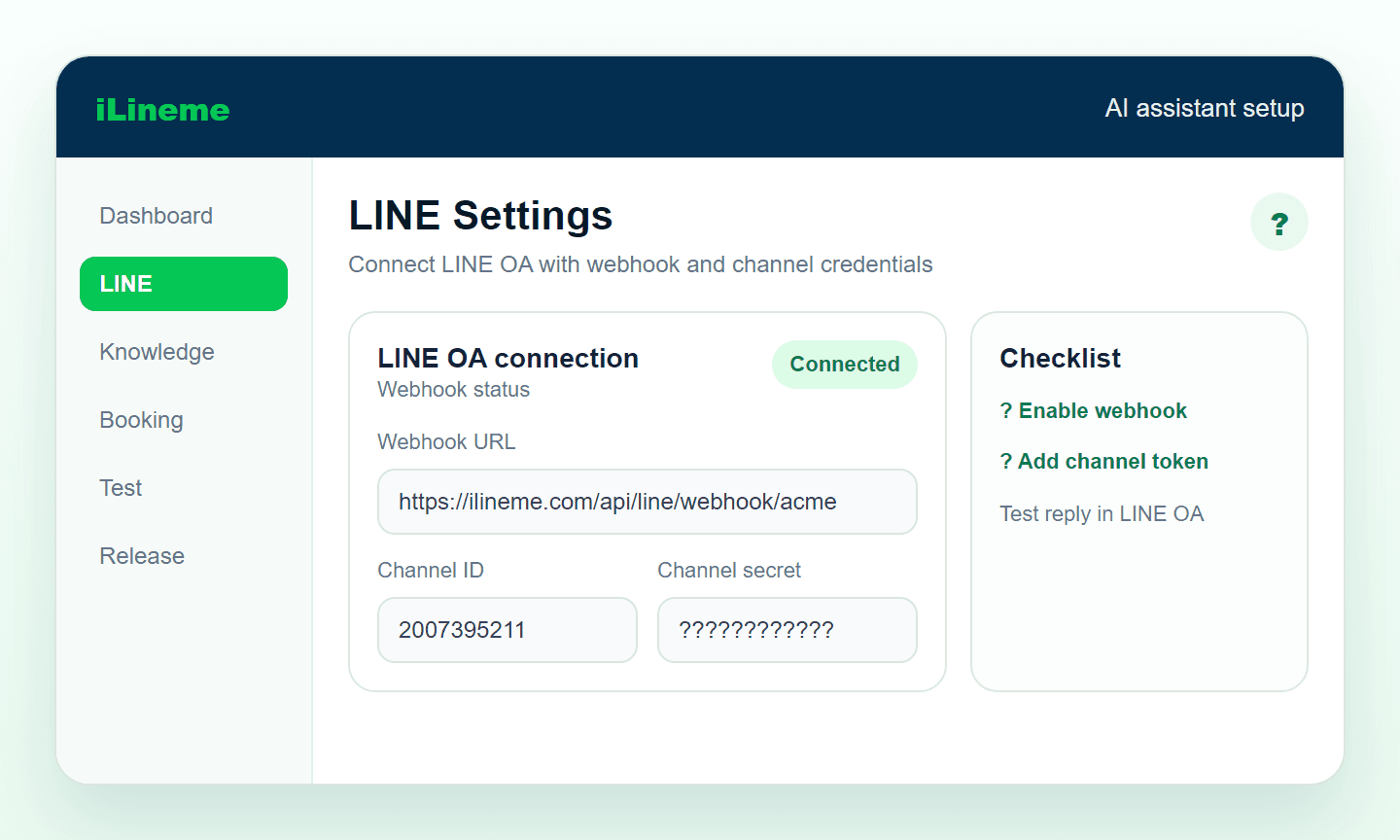
Follow the real workflow from setting up the assistant to booking and team handoff in one chat.
Start using the AI assistant
Screenshot showing how to connect LINE OA to iLineme
1
Connect LINE OA
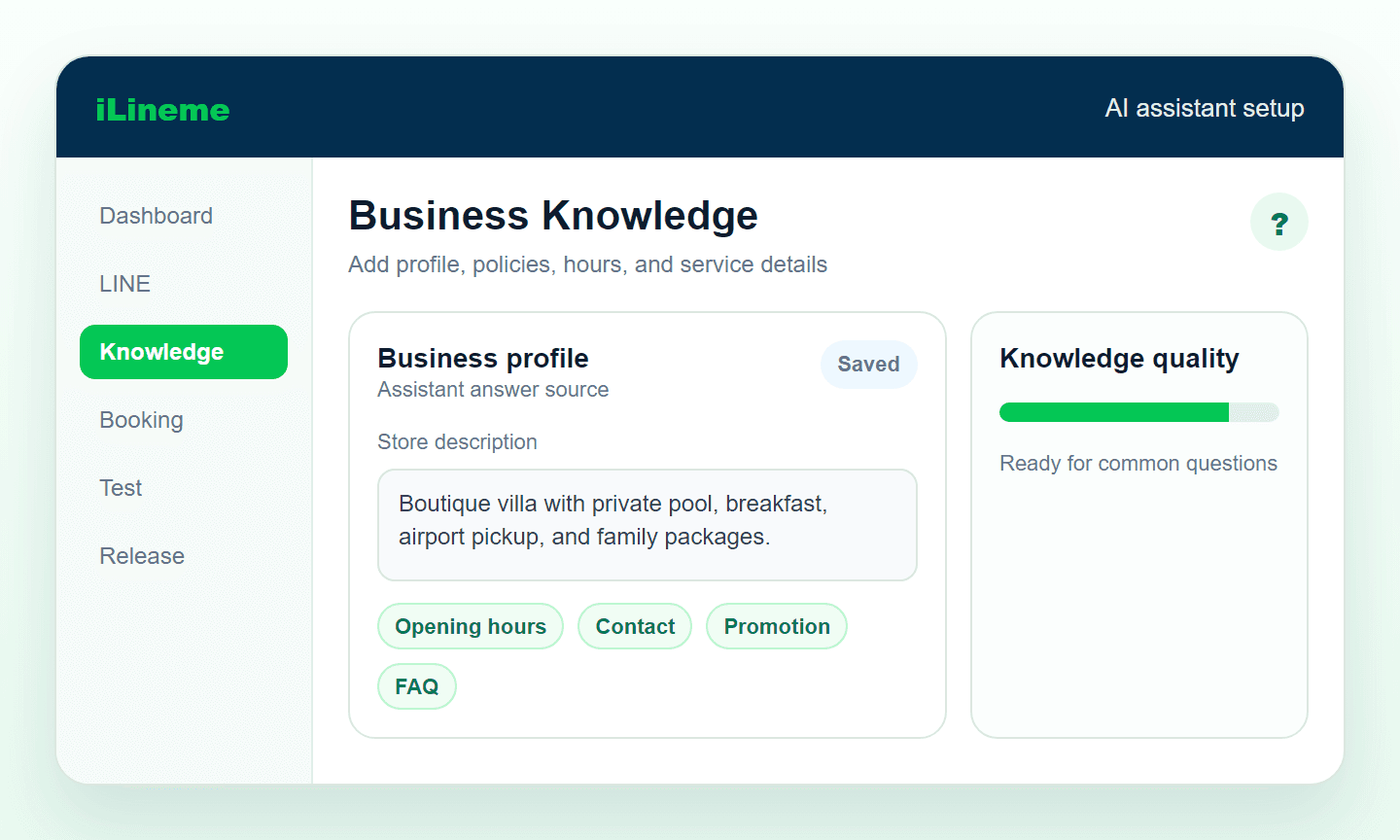
Screenshot showing how to add business data for the AI assistant
2
Add business data
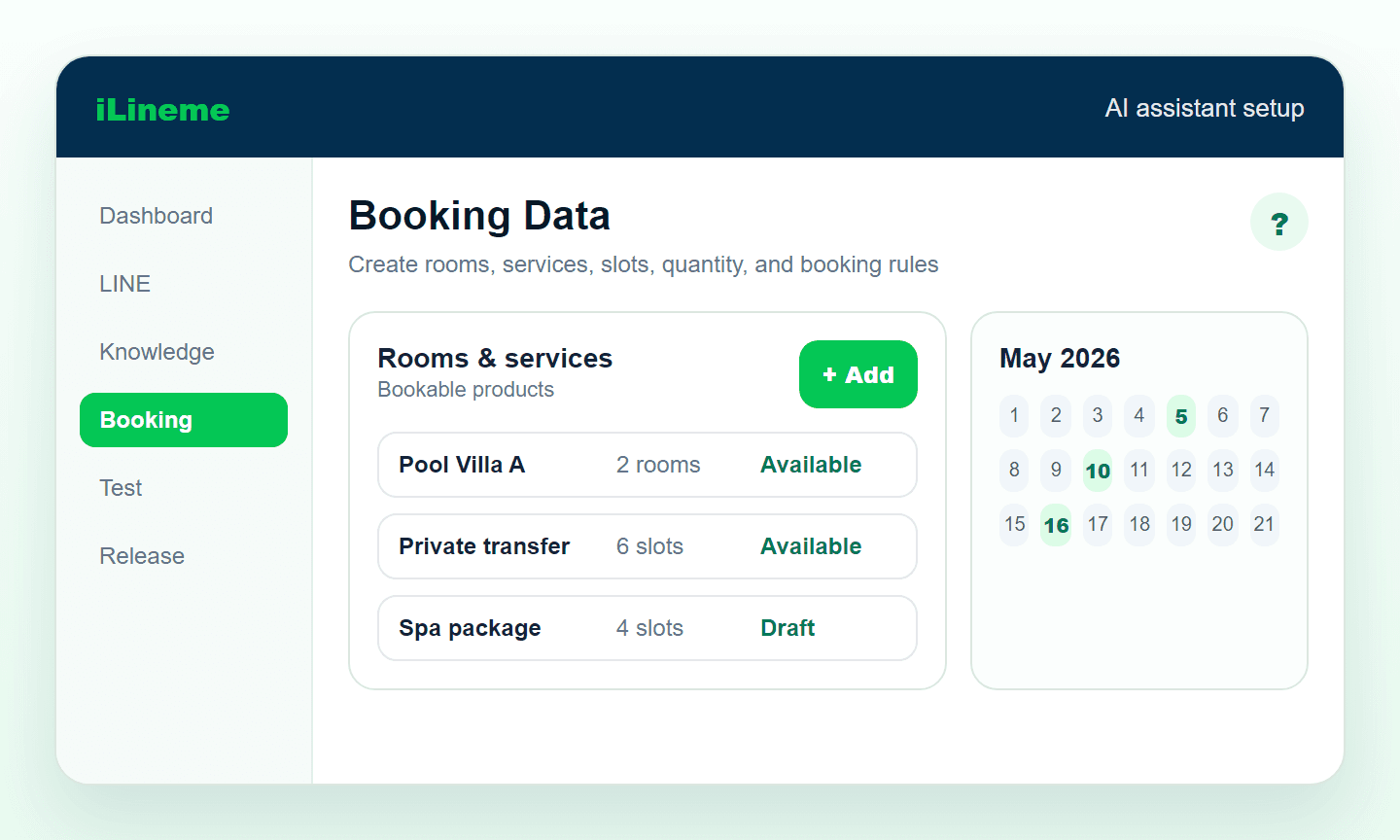
Screenshot showing how to add booking, room, or service data
3
Add booking data
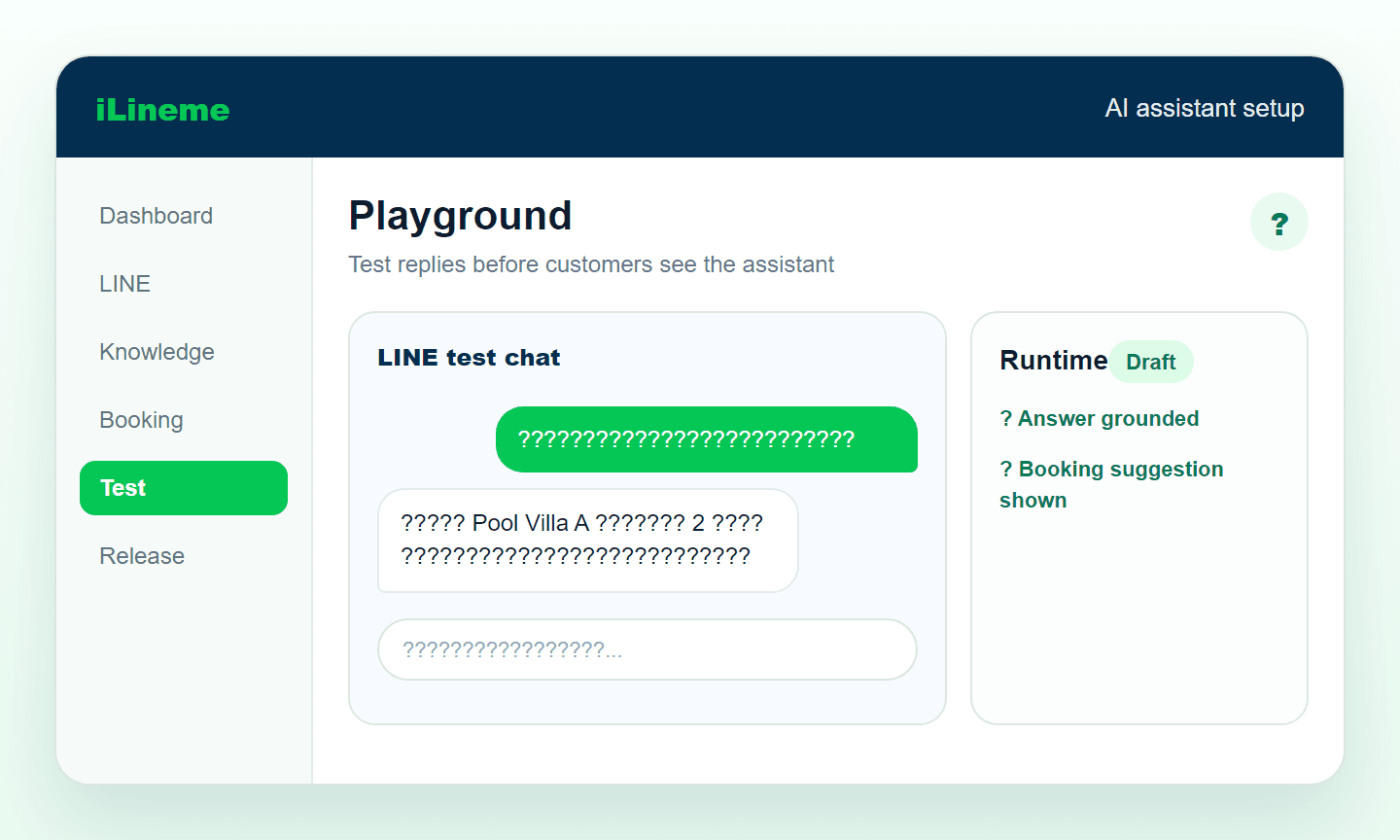
Screenshot showing how to test assistant replies in Playground
4
Test in Playground
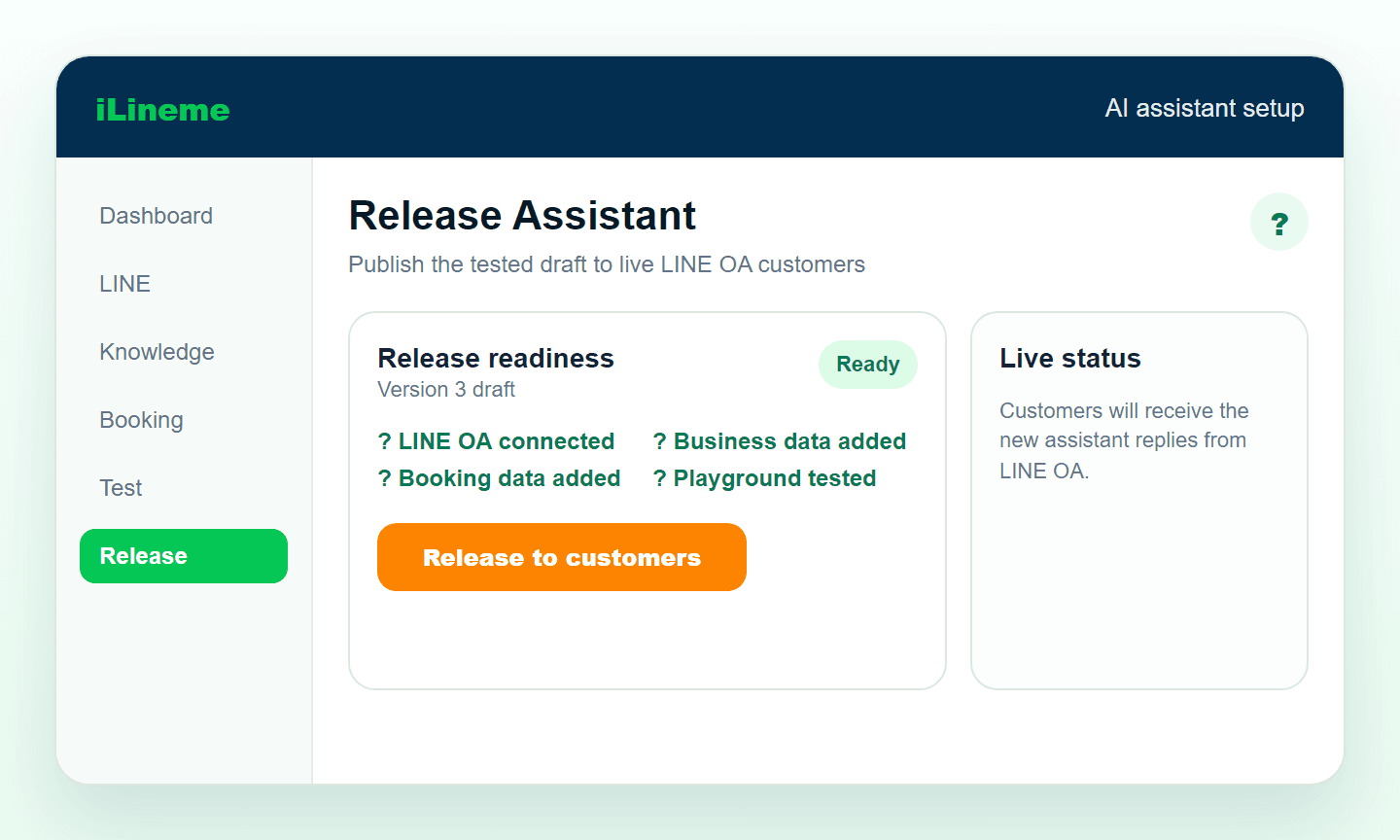
Screenshot showing how to release the AI assistant to customers
5
Release to customers
Set up the AI assistant
Connect LINE OA, add business data, and test replies in Playground before going live.
Set up booking
Add services, booking details, and conditions your team needs to confirm each request.
Customers finish in one chat
Customers ask, book, and get handed to your team from the same LINE conversation.
Test chat with the assistant
Loading business data...
Used 0/0 today
Try chatting with the live assistant now.
Try an example
How it works
  1. 1
    Customer messages your LINE OA
  2. 2
    AI replies to basic questions first
  3. 3
    If a rule matches, the system auto-tags the chat
  4. 4
    The conversation is handed off into your inbox
  5. 5
    Your team replies with full context
Pricing
Simple pricing that grows with your team
Try it free, with every feature available from the start.
Free
Free
Test AI replies from real business data and try a LINE OA booking flow before going live.
Best for:
First-time users who want to test AI answers and booking flows before launch
50 credits per month
Upload up to 5 files
Create up to 5 rooms/services/products
Create up to 1 business
Starter
299 THB / month
Start using AI for a small business that needs help with repeated questions, basic information, and simple booking intake without complex setup.
Best for:
Small shops, small accommodations, and service businesses with repeated questions and simple bookings
300 credits per month
Upload up to 10 files
Create up to 5 rooms/services/products
Create up to 1 business
Recommended
Growth
799 THB / month
Support growing chat volume with AI-assisted first replies, question filtering, and booking steps that continue from the conversation.
Best for:
Small to mid-sized accommodations, on-site services, and teams with multiple services or time slots
900 credits per month
Upload up to 20 files
Create up to 10 rooms/services/products
Create up to 2 businesses
Pro
1,499 THB / month
For teams with multiple services or shared chat ownership, using handoff tags and context summaries to continue conversations and confirm bookings faster.
Best for:
Support or admin teams, multi-service businesses, and bookings that require team coordination before confirmation
1,800 credits per month
Upload up to 30 files
Create up to 20 rooms/services/products
Create up to 5 businesses
Invite up to 2 members
Business
2,999 THB / month
For businesses that rely on LINE OA as a main channel, manage high chat and booking volume, and need a team-ready workflow for continuous handoff.
Best for:
High-chat businesses, multi-branch or multi-category services, and teams managing customers from one shared inbox every day
4,000 credits per month
Upload up to 40 files
Create up to 30 rooms/services/products
Create up to 10 businesses
Invite up to 5 members
What are credits?
Credits are the monthly usage allowance for the AI assistant. They are used when the system processes work for you, such as replying from business data and helping customers move through booking conversations.
Each package includes the monthly credits shown in the package details
If credits run out, you can add extra credits immediately
Extra credits stay available and do not reset every month
About iLineme
We built iLineme so small businesses can use AI without a technical team
iLineme starts from a simple problem: small businesses receive customer chats all day, but should not need an expensive, complex system to respond well. Add your business and booking data, and the assistant helps answer from real information, hand chats over with context, and let customers continue to booking inside the same LINE OA flow.
Designed for owners and admins to set up by themselves, without developers
Priced for small businesses, with every core system available to try for free
Focused on what teams actually need: replies, booking, handoff, translation, and teamwork
Keeps setup short by asking for only the key information needed to start
YouTube tutorial
Add a video link later
FAQ
FAQ
Key questions before getting started with LINE OA, teams, handoff, and booking.
1
How does it work with LINE OA?
It’s built specifically for businesses that use LINE OA as their main customer channel.
2
Do I need a technical team?
No. It’s designed to be easy to start and doesn’t require backend integrations.
3
Can a human take over when the bot can’t answer?
Yes. Handoff routes the chat into the team inbox so staff can reply.
4
Can I add teammates?
Yes. Higher plans support more team members.
5
How is this different from a typical chatbot?
It focuses on triage, tagging, and smooth handoffs — not only auto-replies.
6
Who is it best for?
Businesses with repetitive questions on LINE OA that still want humans to close conversations.

iLineme usage

These numbers come directly from iLineme usage data, showing how teams are creating businesses and letting the assistant answer real chats.

Businesses started
0
Business accounts that have started setting up the system
Projects created
0
Businesses or LINE OA assistant profiles created in the system
Assistant chat replies
0
Assistant replies only, excluding booking confirmations and cancellations
Total bookings
0
All bookings created through iLineme
Contact
Contact us
Interested in trying iLineme or need more information? Contact us through the channels below.
Address
บริษัท เฮียร์โร เทคโนโลยี จำกัด
38/185 หมู่บ้าน คณาสิริ วงแหวน ลำลูกกา หมู่ที่ 10 ตำบลบึงคำพร้อย อำเภอลำลูกกา จ.ปทุมธานี 12150
Open in Google Maps